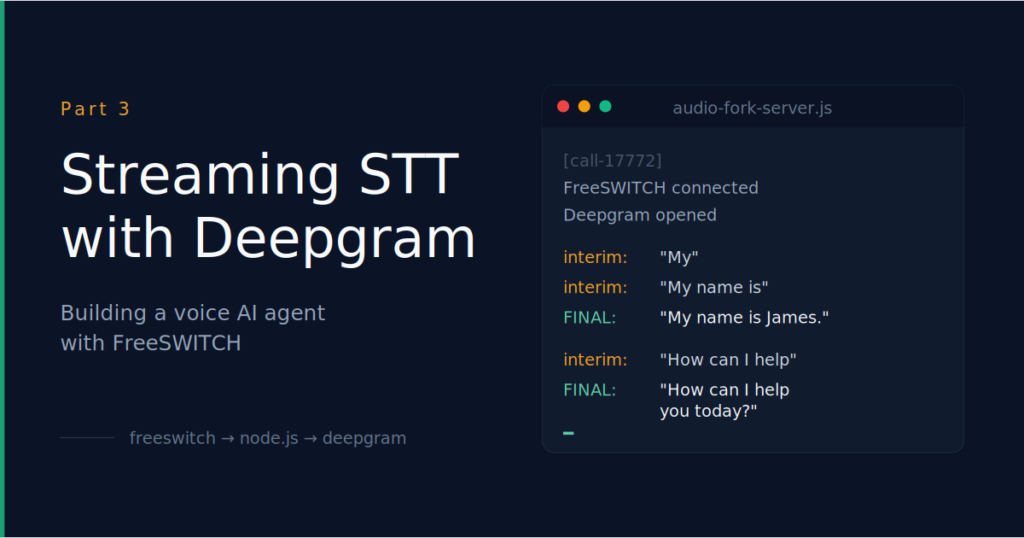
Part 3 of a series. In Part 2 we got live audio out of FreeSWITCH and into a Node.js process. In this post we forward that audio to Deepgram’s streaming speech-to-text API and watch transcripts appear in our terminal as the caller speaks.
By the end of this post, you’ll be able to dial 9999, speak into your softphone, and watch your words appear in the WebSocket server’s terminal in real time — interim transcripts updating word-by-word, then final transcripts when Deepgram detects you’ve finished a thought.
The architecture is identical to Part 2 with one change: where Part 2 wrote audio to a .raw file on disk, Part 3 forwards each frame to Deepgram and logs the transcripts that come back.
Softphone (1001)
│ SIP INVITE
▼
FreeSWITCH
│ Lua → uuid_audio_stream
▼
mod_audio_stream
│ 8 kHz mono PCM over WebSocket
▼
Node.js WebSocket server (:8080)
│ forwards each frame
▼
Deepgram streaming STT ─────► console (interim + final transcripts)
Prerequisites: you’ve completed Part 2 successfully — mod_audio_stream is installed and loaded, the Lua scripts exist, the dialplan extension at 9999 works, and you’ve verified you can capture a .wav file with your voice in it. We’re keeping all of that infrastructure and only changing the Node server.
Step 1 — Get a Deepgram API key
Go to https://console.deepgram.com and sign up. The free tier includes $200 of credit, which is plenty for development — about 26,000 minutes of streaming STT.
Once signed in:
- Create a project (or use the default one)
- Navigate to “API Keys” in the left sidebar
- Click “Create a New API Key”
- Give it a name (e.g., “freeswitch-voice-ai-dev”)
- Set the scopes to “Member” (read+write for streaming)
- Copy the key when it’s shown — you won’t be able to see it again
Save the key somewhere you can paste from in Step 4. We’ll store it as a shell environment variable rather than hardcoding it in the script.
Step 2 — Install the Deepgram SDK
On your hardened FreeSWITCH box:
cd /opt/audio-fork-server

sudo npm install @deepgram/sdk@^5
We pin to v5 deliberately. This post was validated against the v5 SDK (released early 2026), which is the current major version at the time of writing. The v5 API differs significantly from v3 — DeepgramClient is now a class constructor, the connection method has moved to listen.v1.connect(), and a few other changes that matter for the code below. Pinning to ^5 means you’ll get any v5 patch and minor updates, but won’t be silently broken by a future v6 breaking change. When v6 ships, expect to revisit this post.
Verify the install:
ls node_modules/@deepgram# Should show: sdk
cat node_modules/@deepgram/sdk/package.json | grep '"version"'# Should show: “version”: “5.x.x”
You should also still have the ws package from Part 2:
ls node_modules/ws# Should show files including package.json
Step 3 — Replace the WebSocket server
Back up the Part 2 server first so you can roll back if needed:
sudo cp /opt/audio-fork-server/audio-fork-server.js \

        /opt/audio-fork-server/audio-fork-server.part2.js
Now create the new server:
sudo nano /opt/audio-fork-server/audio-fork-server.jsReplace the entire contents with:
// audio-fork-server.js (Part 3, Deepgram SDK v5)

//

// Receives streamed call audio from FreeSWITCH's mod_audio_stream and

// forwards it to Deepgram's streaming STT API. Logs interim and final

// transcripts to the console as the caller speaks.

//

// Reads the Deepgram API key from process.env.DEEPGRAM_API_KEY.

const { WebSocketServer } = require('ws');

const { DeepgramClient } = require('@deepgram/sdk');

const PORT        = 8080;

const SAMPLE_RATE = 8000;   // Hz, must match the dialplan

const CHANNELS    = 1;       // mono

const apiKey = process.env.DEEPGRAM_API_KEY;

if (!apiKey) {

  console.error('ERROR: DEEPGRAM_API_KEY environment variable not set.');

  console.error('Run: export DEEPGRAM_API_KEY="your-key-here"');

  process.exit(1);

}

const deepgram = new DeepgramClient({ apiKey });

const wss      = new WebSocketServer({ port: PORT });

console.log(`Listening for FreeSWITCH audio on ws://0.0.0.0:${PORT}`);

console.log(`Deepgram client initialized (SDK v5).`);

wss.on('connection', async (ws, req) => {

  const callId = `call-${Date.now()}`;

  console.log(`[${callId}] FreeSWITCH connected from ${req.socket.remoteAddress}`);

  // listen.v1.connect() returns a Promise that resolves to a

  // WrappedListenV1Socket. Await it before attaching listeners.

  const dgConnection = await deepgram.listen.v1.connect({

    model:           'nova-3',

    encoding:        'linear16',

    sample_rate:     SAMPLE_RATE,

    channels:        CHANNELS,

    punctuate:       true,

    interim_results: true,

    endpointing:     300,    // ms of silence before declaring an utterance done

    smart_format:    true,

  });

  let dgReady = false;

  dgConnection.on('open', () => {

    console.log(`[${callId}] Deepgram connection opened`);

    dgReady = true;

  });

  dgConnection.on('message', (data) => {

    if (data.type !== 'Results') return;

    const transcript = data.channel?.alternatives?.[0]?.transcript;

    if (!transcript) return;

    if (data.is_final) {

      console.log(`[${callId}] FINAL:   "${transcript}"`);

    } else {

      console.log(`[${callId}] interim: "${transcript}"`);

    }

  });

  dgConnection.on('error', (err) => {

    console.error(`[${callId}] Deepgram error:`, err);

  });

  dgConnection.on('close', () => {

    console.log(`[${callId}] Deepgram connection closed`);

    dgReady = false;

  });

  // Open the WebSocket and wait until Deepgram says it's ready.

  dgConnection.connect();

  try {

    await dgConnection.waitForOpen();

  } catch (err) {

    console.error(`[${callId}] Failed to open Deepgram connection:`, err.message);

    ws.close();

    return;

  }

  // Forward each binary audio frame from FreeSWITCH to Deepgram.

  // Sending goes through the underlying .socket — the wrapper itself

  // doesn't expose a send() method.

  ws.on('message', (data, isBinary) => {

    if (!isBinary) {

      console.log(`[${callId}] text frame: ${data.toString().slice(0, 200)}`);

      return;

    }

    if (dgReady && dgConnection.socket?.readyState === 1 /* OPEN */) {

      dgConnection.socket.send(data);

    }

  });

  ws.on('close', () => {

    console.log(`[${callId}] FreeSWITCH connection closed`);

    if (dgConnection.socket?.readyState === 1) {

      dgConnection.socket.close();

    }

  });

  ws.on('error', (err) => {

    console.error(`[${callId}] WebSocket error:`, err.message);

  });

});
Save and exit.
A few things worth understanding about the v5 connection pattern, since they’re easy to get wrong if you’re adapting this code from another tutorial.
deepgram.listen.v1.connect(…) returns a Promise that resolves to a wrapper object — not the connection itself. You have to await the Promise first. Then you attach event listeners with .on(‘open’, …), .on(‘message’, …), etc. Then you actually open the underlying WebSocket with .connect() and wait for it with await waitForOpen(). That four-step dance — await connect() for the wrapper, attach listeners, call .connect() on the wrapper, await .waitForOpen() — is the v5 idiom.
Sending audio frames goes through .socket.send(), not directly on the wrapper. The wrapper doesn’t expose its own .send() method.
Transcript events arrive on the generic ‘message’ event, with a data.type field that distinguishes ‘Results’ (transcript data) from other event types like ‘Metadata’ and ‘SpeechStarted’. We filter for ‘Results’ and ignore the rest.
Step 4 — Run the server with the API key
The Deepgram API key needs to be in the environment when you run the server. Set it in your shell first:
export DEEPGRAM_API_KEY="paste-your-key-here"Verify it’s set:
echo $DEEPGRAM_API_KEY# Should print your key
Now run the server. Note the -E flag — without it, sudo strips the environment and the script won’t see your API key:
cd /opt/audio-fork-server

sudo -E node audio-fork-server.js
You should see:
Listening for FreeSWITCH audio on ws://0.0.0.0:8080
Deepgram client initialized (SDK v5).
If you instead see ERROR: DEEPGRAM_API_KEY environment variable not set, the -E flag didn’t preserve the variable. Some sudo configurations are strict about this. The workaround is to pass it explicitly:
sudo DEEPGRAM_API_KEY="$DEEPGRAM_API_KEY" node audio-fork-server.jsLeave the server running.
Step 5 — Test the call
From your registered softphone, dial 9999. The call flow is identical to Part 2 — tone, IVR prompt, 15 seconds of silence to speak, hangup.
Speak naturally during the silence. Try a few sentences with deliberate pauses between them, like:
“Hello? Are you there? My name is James. How can I help you today?”
In the WebSocket server terminal, you should see something like this (real output from a test call):
[call-1777298034523] FreeSWITCH connected from ::ffff:127.0.0.1
[call-1777298034523] Deepgram connection opened
[call-1777298034523] interim: “That’s”
[call-1777298034523] FINAL: “Hello?”
[call-1777298034523] FINAL: “Are you?”
[call-1777298034523] interim: “My”
[call-1777298034523] interim: “My name is James.”
[call-1777298034523] FINAL: “My name is James.”
[call-1777298034523] interim: “How can I help”
[call-1777298034523] interim: “How can I help you today?”
[call-1777298034523] FINAL: “How can I help you today?”
[call-1777298034523] FreeSWITCH connection closed
[call-1777298034523] Deepgram connection closed
Your exact transcripts will vary based on your voice, your softphone’s audio quality, and Deepgram’s interpretation. The structure should match: the connection opens, interim transcripts update word-by-word as you speak, then a FINAL transcript when Deepgram decides the utterance is complete.
If you can read your own words back in the terminal, Part 3 works.
Step 6 — Things to notice in the output
A few things worth observing while the call is still running:
Interim transcripts update. Watch how “My” becomes “My name is James.” Deepgram is committing more confidence as it gets more context. Sometimes earlier words even change retroactively as Deepgram gets better data.
Final transcripts include punctuation and capitalization. Interim transcripts are usually lowercase and rough; finals are formatted properly. Deepgram waits until it has end-of-utterance context before committing to whether something was a question, a statement, or part of a sentence.
Short, fast utterances may skip interims entirely. In the example output above, “Hello?” and “Are you?” went directly to FINAL with no interim transcripts shown. That happens when the speaker’s utterance is short enough that the endpointing window fires before interim transcripts have a chance to ship. This is normal — don’t expect every final to be preceded by interims.
Some utterances will have the same interim repeated multiple times. As Deepgram processes more audio for the same utterance, it sometimes keeps emitting the same words with growing confidence. In a long sentence you might see:
interim: “Wow. That’s pretty fast.”
interim: “Wow. That’s pretty fast.”
interim: “Wow. That’s pretty fast.”
interim: “Wow. That’s pretty fast. Goodbye.”
FINAL: “Wow. That’s pretty fast. Goodbye.”
The repeated lines aren’t a bug — each one is a distinct event with the same hypothesized text but updated confidence as Deepgram gets more data. They tell you the recognizer is confident enough that the transcript hasn’t changed, but not yet confident enough to commit it as final.
The gap between final transcript and your next interim is the endpointing latency. That endpointing: 300 setting in the server code tells Deepgram to declare an utterance “done” after 300ms of silence. Watch the timing — that 300ms is part of your end-to-end latency budget from Part 1, now visible in real numbers.
Smart format kicks in for finals. Numbers like “five five five one two three four” become 555-1234. Names get capitalized. This is the smart_format: true option doing work.
Step 7 — Stop the server cleanly
Ctrl+C in the server terminal. You should see:
[call-…] FreeSWITCH connection closed
[call-…] Deepgram connection closed
^C
If the server hangs on shutdown, that means a Deepgram connection didn’t close cleanly. We’ll handle this more carefully in Part 5; for development, killing it with Ctrl+C twice is fine.
Troubleshooting
ERROR: DEEPGRAM_API_KEY environment variable not set
The sudo -E didn’t preserve your environment variable. Either re-run with sudo DEEPGRAM_API_KEY=”$DEEPGRAM_API_KEY” node audio-fork-server.js, or check your sudoers config.
TypeError: createClient is not a function
You’re running code written for an older version of the SDK against v5. v5 replaced createClient with the DeepgramClient class constructor. Use the server code in Step 3 — it’s written for v5.
TypeError: dgConnection.on is not a function
You forgot to await the result of deepgram.listen.v1.connect(…). In v5, that call returns a Promise; you have to await it before attaching listeners. The Step 3 code does this correctly — make sure you copied it exactly.
No transcripts appear at all, just “FreeSWITCH connected” and “Deepgram connection opened”
Most likely the audio frames aren’t reaching Deepgram. Verify that:
- The dialplan is starting the audio stream with mono 8000, not mono 8k or another rate
- The Node server’s SAMPLE_RATE constant is 8000
- Deepgram is being told sample_rate: 8000 in the connection options
All three need to agree. A mismatch will produce a working connection that receives audio but never resolves it into transcripts.
Transcripts appear but they’re nonsense — “the the the the”
Sample rate mismatch (same as above), but specifically the case where the values disagree. Double-check all three places.
Transcripts arrive but with significant delay (multiple seconds)
Either network latency to Deepgram, or you’re seeing the natural endpointing delay. Try a shorter endpointing value (e.g. 200) for faster finals, but expect more false utterance breaks if you do. Deepgram offers regional endpoints if you’re not on US-East — check their docs for current options.
The call drops as soon as you start speaking
Usually means the Deepgram connection errored and crashed the Node process, which closed the FreeSWITCH WebSocket, which caused FreeSWITCH to tear down the call. The most common cause is an invalid API key — Deepgram closes the connection immediately on auth failure. Verify with:
bash
curl -H “Authorization: Token $DEEPGRAM_API_KEY” \
If that returns INVALID_AUTH, your key is bad.
Interim transcripts work, but no finals ever come
Endpointing isn’t triggering. Either you’re talking continuously without pauses (read from a script with deliberate pauses), or the audio level is so loud that Deepgram thinks you’re still talking during what you intended as silence. Try endpointing: 500 or endpointing: 800.
What’s next
In Part 4, we close the loop. The final transcripts we’re now logging will be sent to an LLM. The LLM’s response will be synthesized with streaming text-to-speech. The audio will flow back into the same call.
That’s where this becomes a voice agent.
The hardest decision in Part 4 isn’t any of the AI pieces — it’s deciding when the caller is done talking. Part 3 lets Deepgram make that call with endpointing: 300. Part 4 needs to be more deliberate, because the difference between “agent waits too long to respond” and “agent interrupts the caller” lives in exactly that decision.
Part 4 lands soon.
All code from this series is on GitHub: https://github.com/thevoiceguy/freeswitch-voice-ai-series
Be First to Comment